The Death of Syntax, The Rise of the “Vibe”
For decades, the barrier to entry in software engineering was syntax. To build, you had to speak the machine’s language—meticulously placing semicolons, managing memory, and memorizing boilerplate. In April 2026, that barrier has finally collapsed.
“English is the Hottest Programming Language”
It started as a bold claim by AI visionary Andrej Karpathy in 2023, but by 2025/2026, it became an industry-standard prophecy. Karpathy’s vision was simple: as LLMs evolved, the most efficient computational interface wouldn’t be C++ or Python—it would be natural language. Today, “English” (or any human tongue) has become the executable specification. The limiting factor is no longer your ability to code, but your clarity of thought.
Definition: What is Vibe Coding?
Vibe Coding is a paradigm shift where the developer moves from being a “writer” to being a “director.”
Vibe Coding: A development workflow where you fully lean into the capabilities of AI agents, describing high-level intent and desired outcomes (the “vibe”) rather than manual implementation. You provide the vision; the AI provides the logic, the security patches, and the deployment scripts.
It is the art of Aesthetic-Driven Development. You are no longer bogged down by the “how”; you are obsessed with the “what.”
The Cursor Connection: The “Official” Home of the Vibe
While many IDEs have tried to keep up, Cursor has emerged as the definitive platform for this movement. By forking VS Code and rebuilding it from the ground up as an “AI-native” engine, Cursor didn’t just add a chatbot—it added a brain. With features like Composer and Agent Mode, Cursor allows you to “vibecode” across dozens of files simultaneously, making it the central orchestration layer for the modern developer.
Understanding the Vibe Coding Lifecycle
Transitioning to this new era requires a mental “reboot.” You have to stop thinking about implementation details and start thinking about system intent.
Intent vs. Implementation
In traditional coding, 80% of your time is spent on implementation (debugging a weird React hook or fixing a CSS alignment). In Vibe Coding, 90% of your time is spent on Intent.
- Traditional: “I need to write a
useEffectthat fetches data from this API and handles the 404 error.” - Vibe Coding: “Build a dashboard that feels like Stripe’s interface, pulls real-time crypto prices, and alerts the user if the portfolio drops by 5%.”
The 6-Stage Feedback Loop
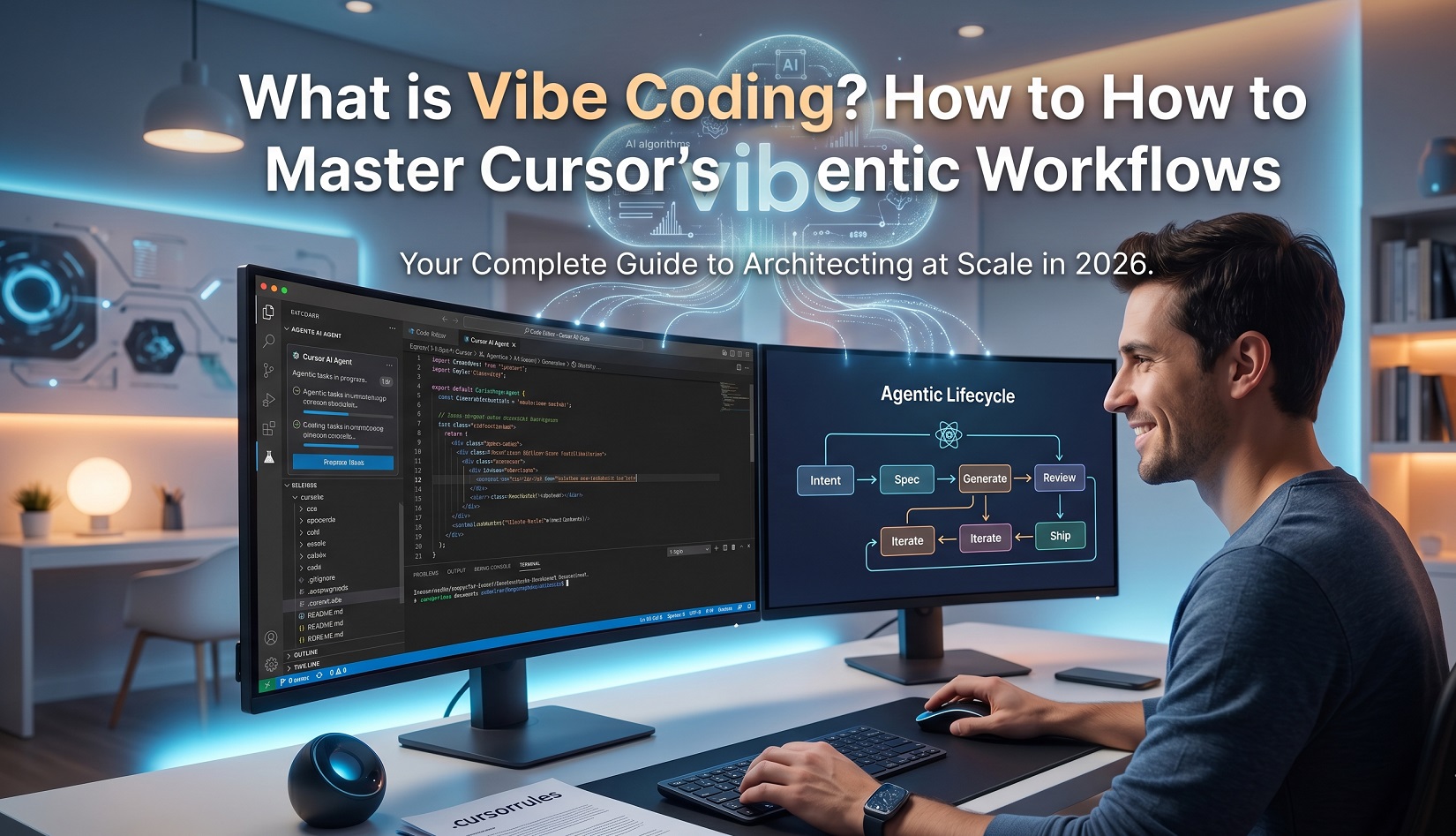
To master this, you must follow the Vibe Coding Lifecycle. This isn’t a straight line; it’s a high-speed “tennis match” between you and the AI:
- Intent (The Prompt): You describe the soul of the feature. This is where you set the “vibe”—the goals, the constraints, and the tech stack.
- Spec (The AI Plan): Before writing a single line, the Agent (like Cursor’s Plan Mode) outlines exactly what it intends to change. You review the logic, not the syntax.
- Generate (The Code): The AI executes. In 2026, this happens across multiple files in seconds. The code is written, dependencies are installed, and the “heavy lifting” is done.
- Review (The Human Check): Even in a “vibe” world, the human is the architect. You verify if the output matches your vision. Does it look right? Does the logic hold?
- Iterate (The Refinement): This is the “stochastic debugging” phase. If something is off, you don’t fix the code—you fix the prompt. “The sidebar is too wide, make it sleek and collapsible.”
- Ship (The Deployment): Once the vibe is perfect, you trigger the automated deployment agent. Your idea is live.
Mastering Cursor’s Agentic Workflows (The “How-To”)
The secret to scaling your output in 2026 is moving away from the “one-line-at-a-time” mindset. You need to leverage Agentic Workflows, where Cursor acts as a semi-autonomous engineer.
1. Setting the Stage with .cursorrules
Think of .cursorrules (often stored as index.mdc in your .cursor/rules directory) as your project’s DNA. This is how you “hardcode your vibe” so the AI never guesses your preferences.
- Architectural Guardrails: Add rules like
"Always use React Server Components"or"Enforce Clean Architecture layers." - Tech Stack Enforcement: Use directives like
"Prefer Tailwind arbitrary values over custom CSS"or"Strict TypeScript: No 'any' allowed." - The Result: Developers using well-configured rules report a 60% reduction in “fighting the AI” because the first draft is already aligned with project standards.
2. Transitioning to Agent Mode
The real magic happens when you understand the hierarchy of Cursor’s interfaces:
- Chat (
Cmd+L): Your researcher. Use this to ask, “How does this auth logic work?” or “Find where the database is initialized.” - Composer (
Cmd+I): Your pair programmer. This is for direct, multi-file edits where you stay in control of the diffs. - Agent Mode: Your autonomous engineer. When you toggle “Agent” in the Composer window, Cursor can now:
- Search the entire codebase to find relevant files you didn’t even mention.
- Run terminal commands to install packages, run tests, or check for linting errors.
- Fix its own bugs: If a test fails, the Agent reads the error and loops until the code passes.
3. Multi-File Orchestration
Gone are the days of manual copy-pasting. In 2026, you can prompt: “Refactor the entire User Profile system to support multi-tenant organizations.” The Agent doesn’t just edit the UI; it simultaneously updates the database schema, modifies the API routes, and adjusts the middleware—often touching 10 to 20 files in a single execution. You simply watch the progress bar and review the final Pull Request.
Advanced “Vibing” Techniques
Once you’ve mastered the basics, these “pro-level” features separate the casual users from the AI architects.
The Power of @ References
Context is the fuel for AI. Use @ symbols to give the Agent a “high-resolution” view of your world:
@Codebase: Scans your entire project to ensure global consistency.@Docs: Pulls in live documentation from external libraries (e.g.,@Next.js Docs) so the AI uses the latest 2026 syntax, not outdated patterns.@Git: References recent commits or diffs to understand the history of why a change was made.
“YOLO Mode” vs. Plan Mode
In 2026, Cursor introduced Plan Mode to prevent “hallucination drift.”
- Plan Mode: The AI outlines every change in Markdown before touching a single file. You can edit the plan, delete steps, or say “Wait, don’t change the database yet.” Use this for 90% of production work.
- YOLO Mode: The AI applies changes instantly without review. Use this only for rapid prototyping or when you’re “vibing” on a side project where speed beats safety.
Prompt Engineering for Vibe Coders
The transition to Vibe Coding means moving from “Micro-Prompts” to “Systemic Prompts.”
- The Old Way: “Make this button red and 16px.”
- The Vibe Way: “Apply the brand’s design system consistently across all dashboard components. Ensure all buttons follow the secondary-action style defined in
global.css.”
By describing the systemic intent, you allow Cursor to use its internal reasoning to find every instance of a button and update it, ensuring your “vibe” remains consistent across the entire application.
The Risks: Don’t Let the Vibe Go Sour
With great power comes great responsibility—and in the case of Cursor, the potential for great messes. If you treat the AI as a magic wand rather than a tool, the “vibe” can turn sour quickly.
Technical Debt: The Danger of “Spaghetti Vibes”
The biggest risk of 2026 is Automated Spaghetti Code. Because Cursor can write 1,000 lines in seconds, it can also create technical debt at a rate no human can keep up with. If you don’t understand the underlying architecture the AI is proposing, you may wake up with a codebase that works today but is impossible to refactor tomorrow.
- The Symptom: Your app works, but you have no idea why.
- The Fix: Periodically ask the Agent to “Explain the current architecture and identify potential bottlenecks.”
Security & Governance: The Human-in-the-Loop
Recent 2026 security audits show that nearly 45% of AI-generated code contains at least one security vulnerability or suboptimal dependency. AI is a “pleaser”—it wants to give you the feature you asked for, even if it has to cut corners on sanitizing inputs or securing API keys.
Critical Rule: Never let an Agent commit directly to your
mainbranch without a human review. You are the final line of defense against “Prompt Injection” and “Insecure Defaults.”
As a Senior Banking Manager, I look at ‘Vibe Coding’ through the lens of a credit audit. In banking, we don’t care if the ‘vibe’ of a loan application is good; we care about the underlying data integrity. If you’re using Cursor to build fintech tools or personal wealth trackers, ‘stochastic debugging’ isn’t enough—you need deterministic results.
We’ve seen the shift in Pune’s tech hubs—it’s no longer just about who knows the most obscure Java syntax. The new ‘Senior Developer’ is the one who can articulate a business vision clearly enough for a machine to execute it. Clarity is the new currency.”
The “Junior Dev” Analogy
To thrive in this era, you must change your self-perception. You are no longer the “worker”; you are the Lead Architect. Treat the Cursor Agent as a brilliant but tireless junior developer. This junior dev knows every library in existence and types 5,000 words per minute, but they have zero “common sense” regarding business logic or long-term maintenance. Your job is to provide the wisdom, the constraints, and the final “OK.”
Becoming an AI Architect
As we move deeper into 2026, the definition of a “Senior Developer” has been rewritten. It is no longer about who has the best memory for obscure Python libraries; it’s about who can best steer the machine.
What is the difference between Cursor and VS Code?
Cursor is a “fork” of VS Code, meaning it looks and feels identical (all your extensions and themes work). However, Cursor is AI-native. While VS Code requires a plugin like Copilot, Cursor’s AI is baked into the core editor, allowing it to predict your next cursor movement, index your entire codebase for chat, and edit multiple files at once via “Composer.”
Is Cursor AI free to use?
There is a Hobby (Free) Tier that includes 2,000 code completions and 50 “slow” premium requests per month. For unlimited usage and access to advanced “Agent Mode,” most users pay for the Pro Plan ($20/month).
How does Cursor compare to GitHub Copilot?
Copilot is an “assistant” that suggests code as you type. Cursor is an “agent” that can take a command like “Refactor the auth flow” and execute it across your entire project. In 2026, Cursor is generally considered superior for deep codebase understanding, while Copilot is preferred for its enterprise stability and deep GitHub integration.
What is “Agent Mode” (formerly Composer)?
It is Cursor’s most powerful feature. When you toggle Agent Mode, the AI can autonomously search your files, run terminal commands (like npm install), fix its own bugs, and read documentation from the web to solve complex tasks without you having to guide it line-by-line.
Can I use Cursor with my existing private code? (Privacy)
Yes. Cursor offers a “Privacy Mode” where your code is never used to train their models. For enterprise users, Cursor is SOC2 compliant and offers local indexing, meaning your codebase context stays on your machine.
Which AI model does Cursor use?
Cursor is model-agnostic. You can switch between Claude 3.7 Sonnet (currently the favorite for coding), GPT-4o, and Gemini 1.5 Pro within the settings. In 2026, it also features a custom “Cursor-Small” model for lightning-fast autocompletions.
How do I give Cursor context for a specific task?
Use the “@” symbol.@Codebase to search your entire project.@Files to point to a specific file.@Docs to pull in the latest documentation from a URL.@Git to reference recent changes or commits.
Summary: Architecting at Scale
Vibe Coding isn’t “not coding.” In fact, it’s a more intense form of engineering. It is Architecting at Scale. You are managing complex systems and data flows at a level of abstraction that was impossible five years ago. You are moving the levers of creation with the power of your intent.
Call to Action
The barrier is gone. The tools are ready. The only thing left is your idea.
- Step 1: Download Cursor (if you haven’t already).
- Step 2: Initialize your project with a robust
.cursorrulesfile. - Step 3: Use Agent Mode to build your first MVP in under an hour.
Final Thought
In 2026, the best developers aren’t the fastest typists; they are the best communicators. Your value is no longer in your fingers—it’s in your ability to describe a vision so clearly that even a machine can see it.